The Hidden Cost of Cloud-First API Clients

In modern development workflows, API clients are indispensable tools. API clients let developers inspect, debug, and test endpoints efficiently. Popular options like Postman or Insomnia have become the default for many teams, especially when collaboration is key. However, these tools often come with an overlooked trade-off: a hidden cost of relying on cloud-first architectures.
Cloud-first API clients store data, requests, environment variables, and history on a remote server by default. While sometimes convenient, this design introduces dependencies and complexity that often affect application performance, introduce privacy implications, and may even hinder developer productivity. Understanding these costs is crucial for teams that rely heavily on API interactions.
Resource bloat and sync overhead
While cloud-first clients do not typically route your local API traffic through their servers, the background syncing engines and heavy architecture add significant overhead to the application itself. Many modern API clients have evolved from lightweight utilities into heavy, resource-intensive platforms that consume substantial CPU and memory just to send a simple HTTP request.
Furthermore, because these tools treat the cloud as the source of truth, developers frequently experience UI lag or micro-delays while the application validates organization permissions, checks for cloud updates, or syncs workspace states in the background.
For developers running tight, iterative testing loops, a lightweight tool that operates entirely locally offers a noticeably smoother experience.
Hidden dependencies and uptime risks
Relying on cloud infrastructure means your workflow is partially dependent on external uptime. Server outages, maintenance, or API changes on the client vendor's side can stall development. Even minor interruptions, such as transient network glitches, can block the ability to sync requests, collaborate on shared environments, or retrieve updated variables.
This creates a form of "hidden technical debt": your workflow depends on a service you don't control. If that service fails, your ability to test or debug your own APIs is compromised.
Privacy and security risks
Sensitive data like API keys, access tokens, or internal endpoints may be stored on cloud servers in cloud-first clients. This can create potential exposure for sensitive or regulated data, especially in enterprises dealing with financial, healthcare, or government APIs.
Even with encryption in transit and at rest, cloud storage still introduces risk vectors that simply do not exist in local-first approaches. Local-first API clients mitigate this concern by keeping all requests and credentials on a developer's machine unless explicit syncing is enabled.
Versioning and collaboration complexity
Cloud-first clients are designed to simplify collaboration, but this comes at a cost. Automatic syncing can create conflicts or overwrite local changes unintentionally. Teams may experience:
- Lost request history when multiple users update shared environments
- Conflicting environment variables across team members
- Unexpected behavior when restoring from cloud backups
For teams managing large API suites or evolving endpoints, this can introduce inconsistencies and subtle bugs that can be difficult to debug quickly.
Forced accounts and gatekeeping
Many popular API clients have shifted toward mandatory cloud accounts. Even if you just want to test a quick localhost endpoint, you are often forced to log in before you can even use the app.
This is a massive headache if you work in secure facilities or behind strict corporate firewalls where connecting to an outside login server is blocked. While cloud clients might offer a limited "offline mode", they still treat the cloud as the default. Local-first clients treat the cloud as an optional extra, ensuring your tools work perfectly whether you are on a highly secure corporate network or completely offline.
Why Local-First API clients solve these problems
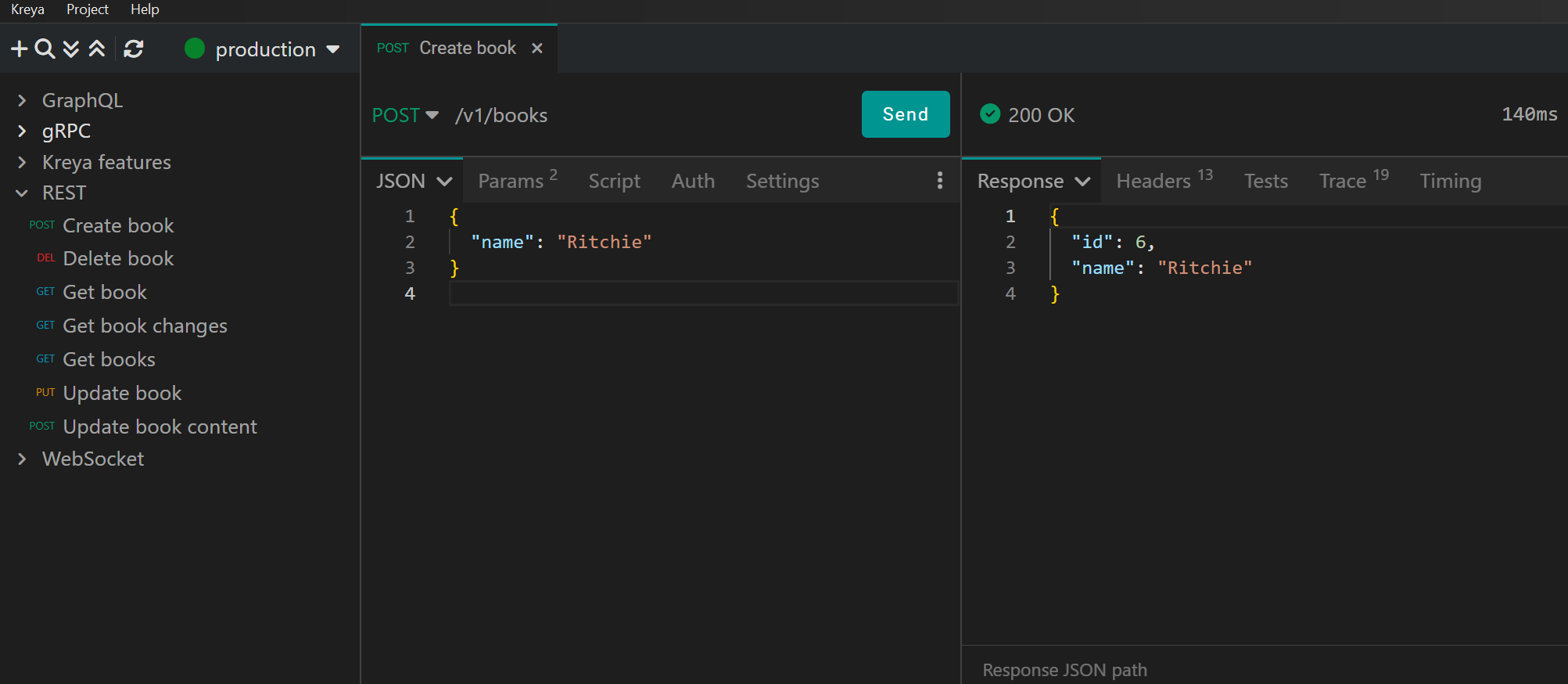
Local-first API clients, like Kreya, take a different approach: everything lives on the developer's machine. Requests, environment variables, and histories are stored locally by default. This design provides:
- Faster response times by removing unnecessary network hops
- Enhanced privacy since sensitive data never leaves your machine
- Transparent, auditable storage that integrates seamlessly with Git and CI pipelines
By keeping control on the client side, local-first clients reduce hidden technical debt, improve debugging accuracy, and streamline collaboration with explicit version control.
Choosing between cloud-first and local-first API clients ultimately comes down to workflow priorities. For teams that value explicit control, reproducibility, and minimal external dependencies, local-first tooling can simplify daily operations while preserving flexibility for collaboration when needed.
Kreya follows this local-first philosophy. Requests, environments, and histories remain on the developer's machine by default, making it easier to integrate API work into existing Git workflows and CI pipelines without introducing hidden dependencies. In many cases, the most productive tooling is the one that stays out of the way.
Practical takeaways
Cloud-first API clients are convenient, but often come with hidden costs that accumulate over time. Latency, dependency on vendor uptime, privacy risks, versioning conflicts, and limited offline capabilities can silently undermine developer productivity and application quality.
Local-first API clients offer a compelling alternative by shifting control to the developer's machine, improving speed, reliability, and security. For teams serious about scalable, resilient API workflows, evaluating local-first solutions is a necessity.
Cloud-first isn't inherently bad, it certainly has its use-cases, but it's worth understanding the hidden trade-offs. Local-first API clients help remove these pain points, letting developers focus on the task that matters most: building and testing APIs efficiently and securely.