Kreya 1.22 - What's New

Kreya 1.22 is here! It comes with a new feature: vaults and secrets. This allows you to reference secrets stored in external vault providers directly within Kreya. Other new features include user prompts, JSON and XPath breadcrumbs, the ability to change the gRPC mode in the request header and to ignore gRPC importer warnings. You can also import Postman and Insomnia during project setup and view an improved operation history. Text importers can now be used via the app menu. There are also many other new features and bug fixes.

Vaults and secrets Enterprise
With the Vault feature, you can reference secrets stored in external vault providers directly inside Kreya. This lets you keep sensitive values like API keys, passwords, and tokens in a dedicated secret manager while using them seamlessly in your operations, authentication configurations, and environments.
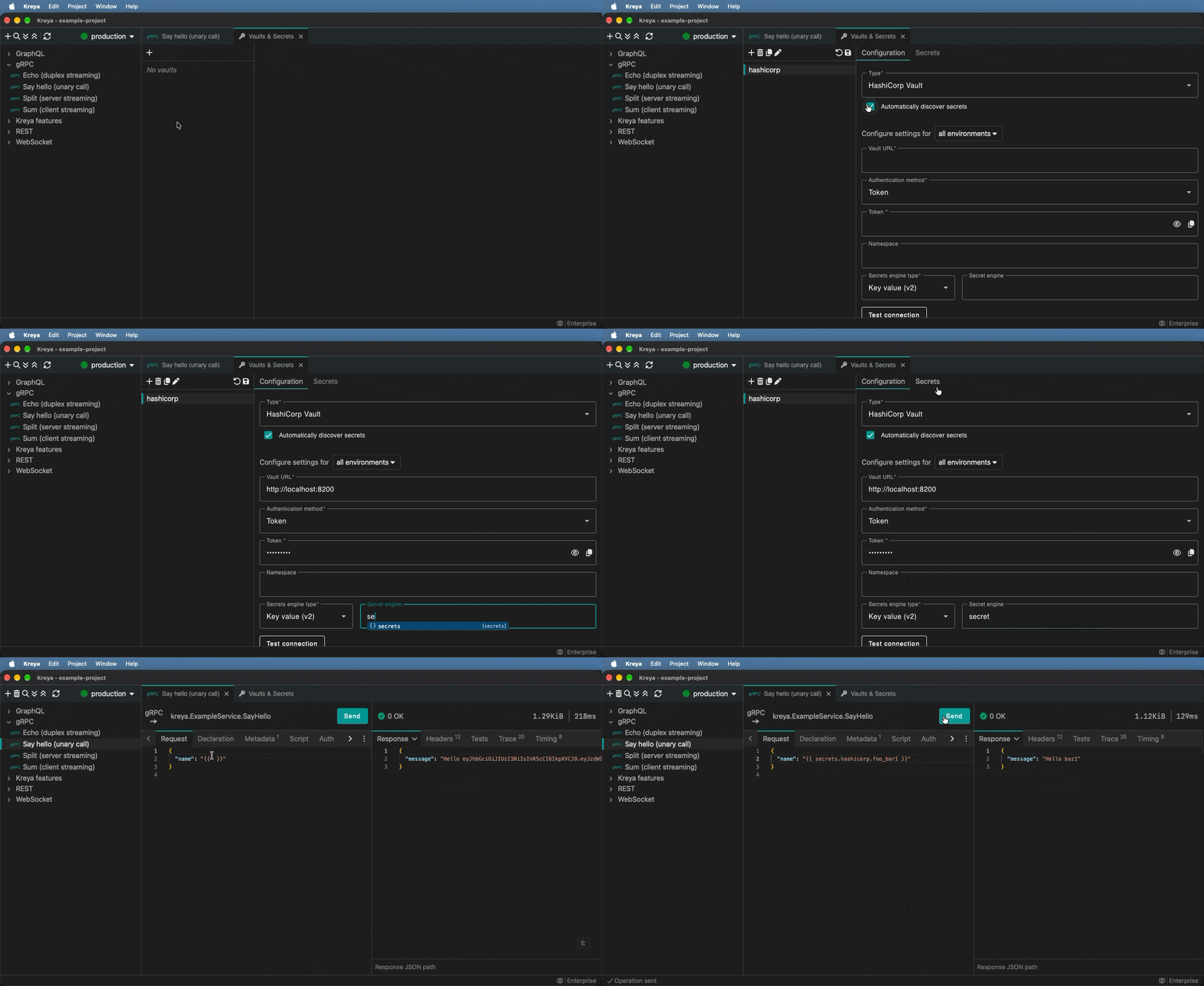
Once a vault is configured, you can reference secrets using the following templating syntax:
{{ secrets.vault_name.secret_name }}
In scripting, a secret can be used with the following:
const secret = await kreya.secrets.get('vault_name', 'secret_name');
Supported vault provider
| Provider | Documentation |
|---|---|
| HashiCorp Vault | Learn how to connect to HashiCorp Vault and reference secrets |
| Azure Key Vault | Connect Azure Key Vault and reference current or versioned secrets |
| .NET user secrets | Reference local .NET development secrets |
Is your favorite vault provider missing? Write us at [email protected]!
User prompts
The keyword prompt can be used inside a template expression to request user input.
Bearer {{ prompt 'Enter your API token' }}
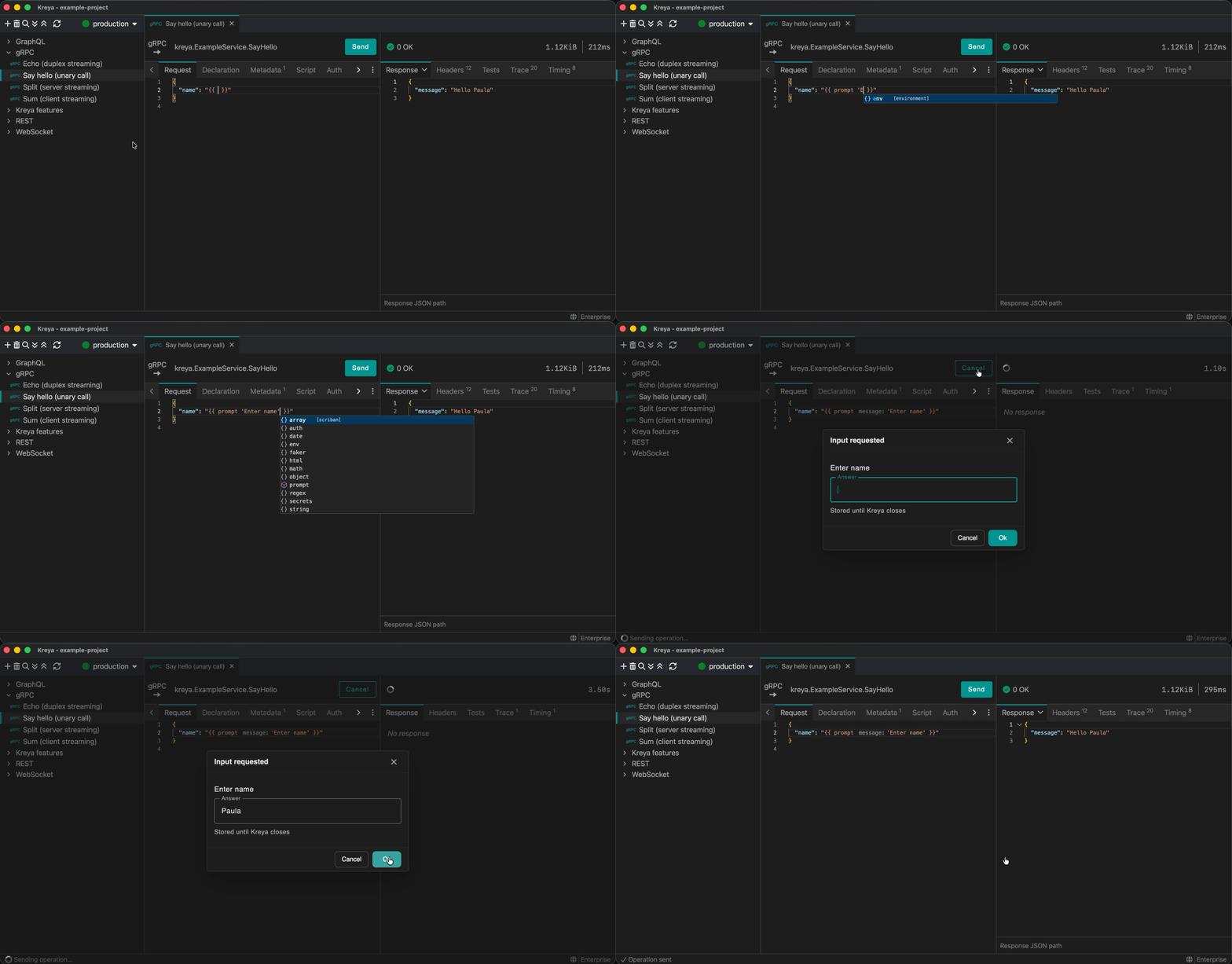
By default, the answer is reused until Kreya closes. Pass 'none' to request input on every call, or 'persistent' to save the answer locally across restarts. An optional third argument specifies the cache key:
Bearer {{ prompt 'Enter your API token' 'persistent' 'api-token' }}
In scripting, a user prompt can be requested using the following:
const result = await kreya.prompt('Enter your API token');
JSON and XPath breadcrumbs in response editors
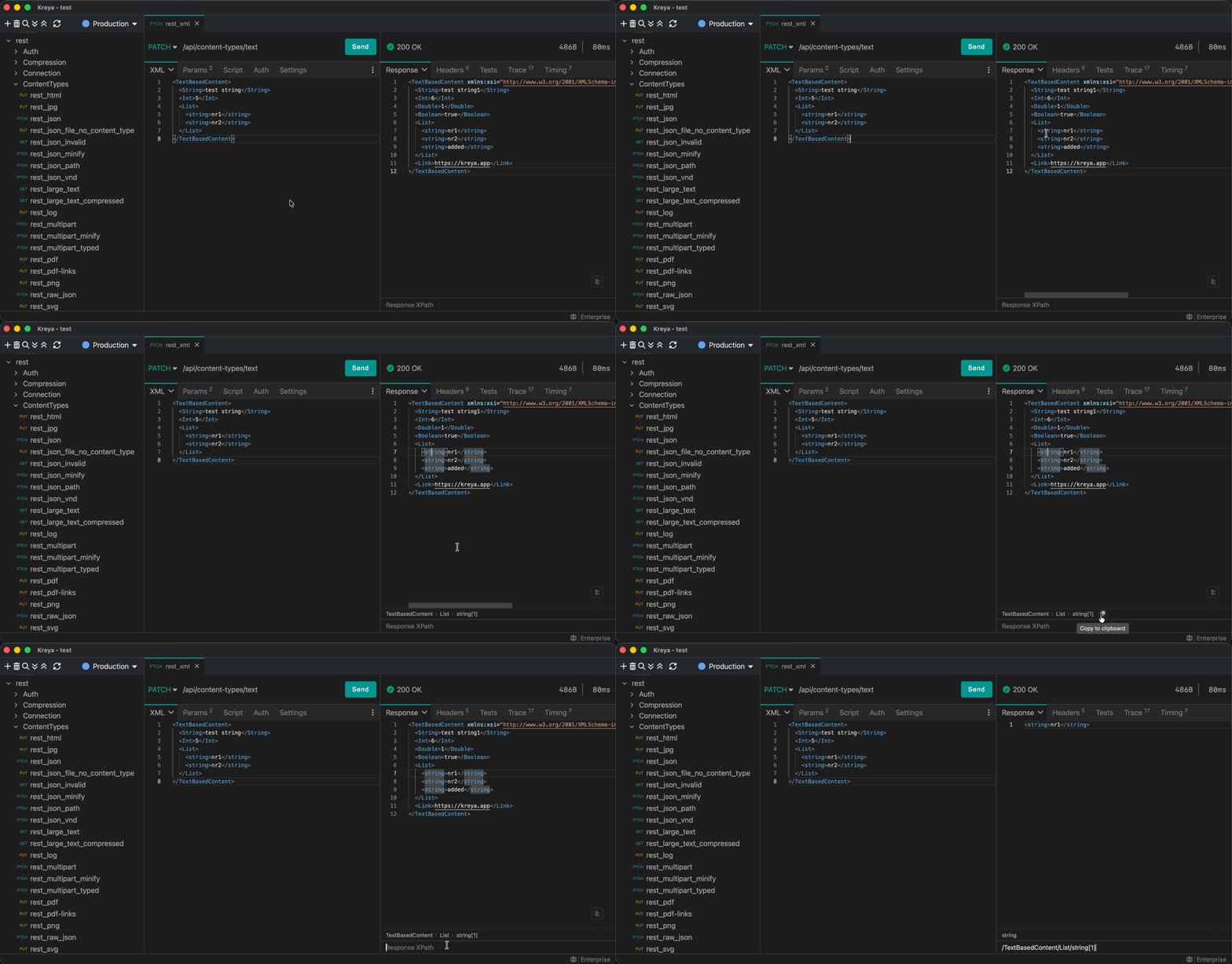
A selected node inside a JSON or XML response will show the breadcrumbs in the footer, which can be copied and used directly.
Change gRPC mode in the request header
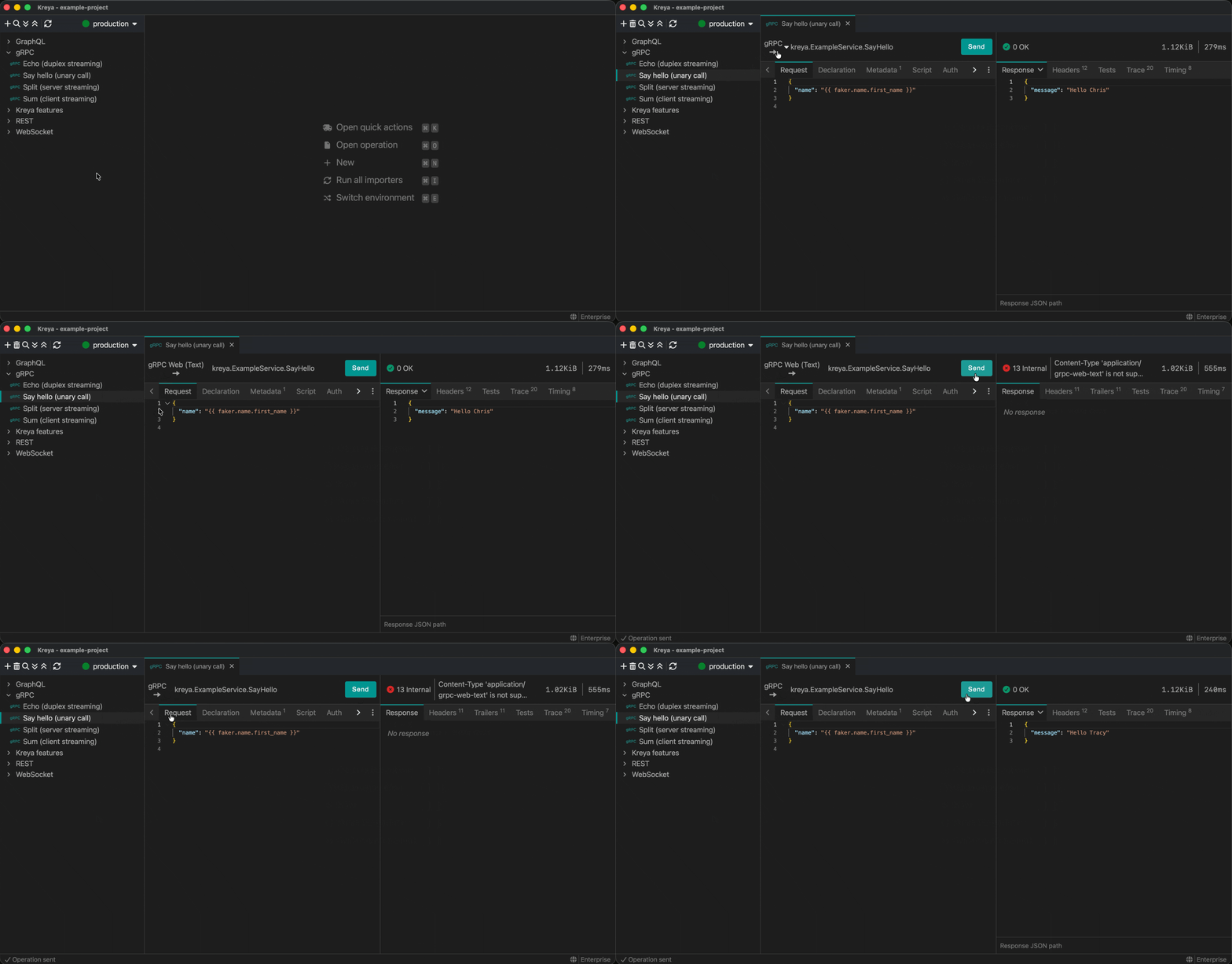
It is now possible to switch to the gRPC mode easily with one click in the request header.
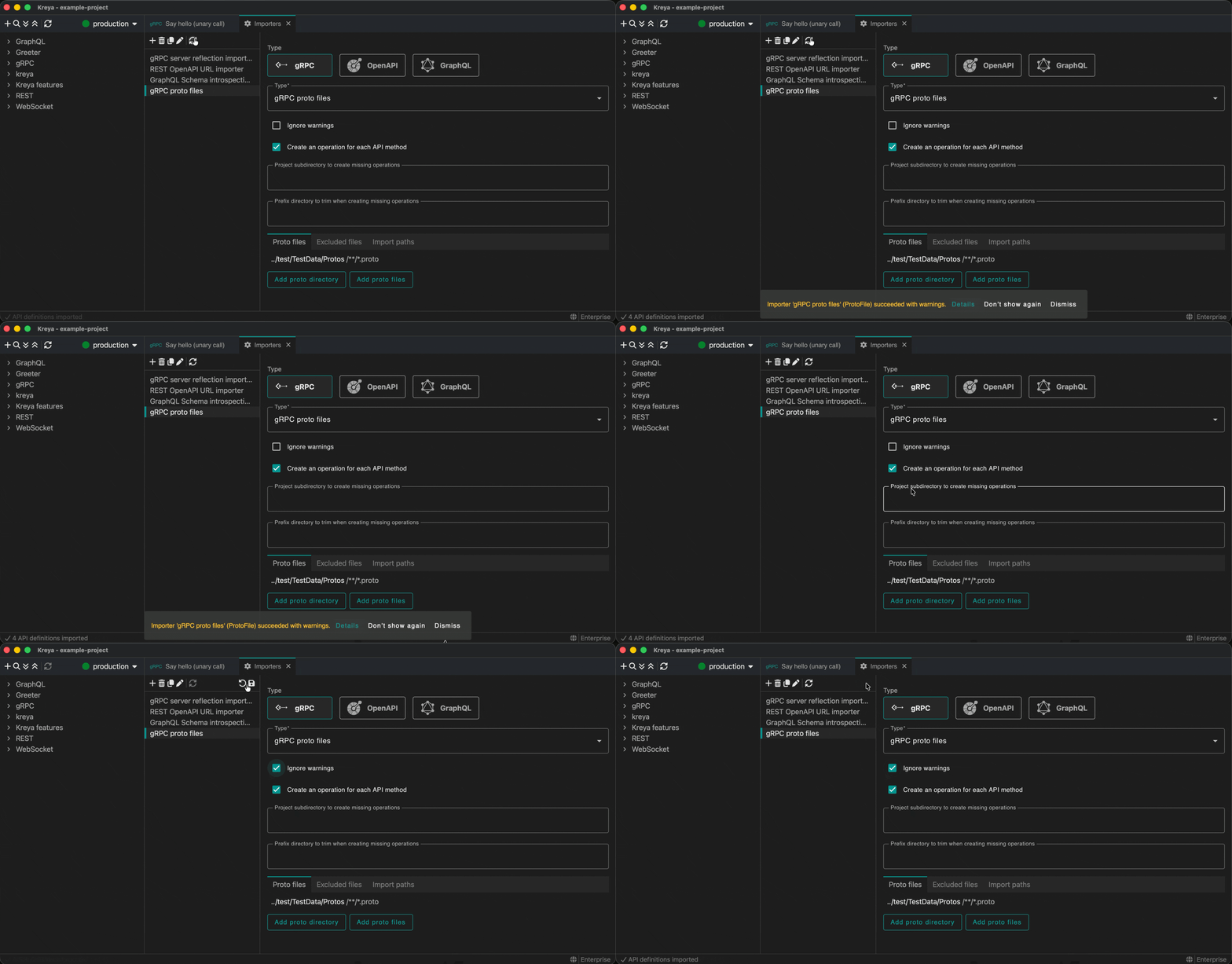
Ignoring gRPC importer warnings
For gRPC importers, the warnings can be ignored by using the 'Ignore warnings' setting.
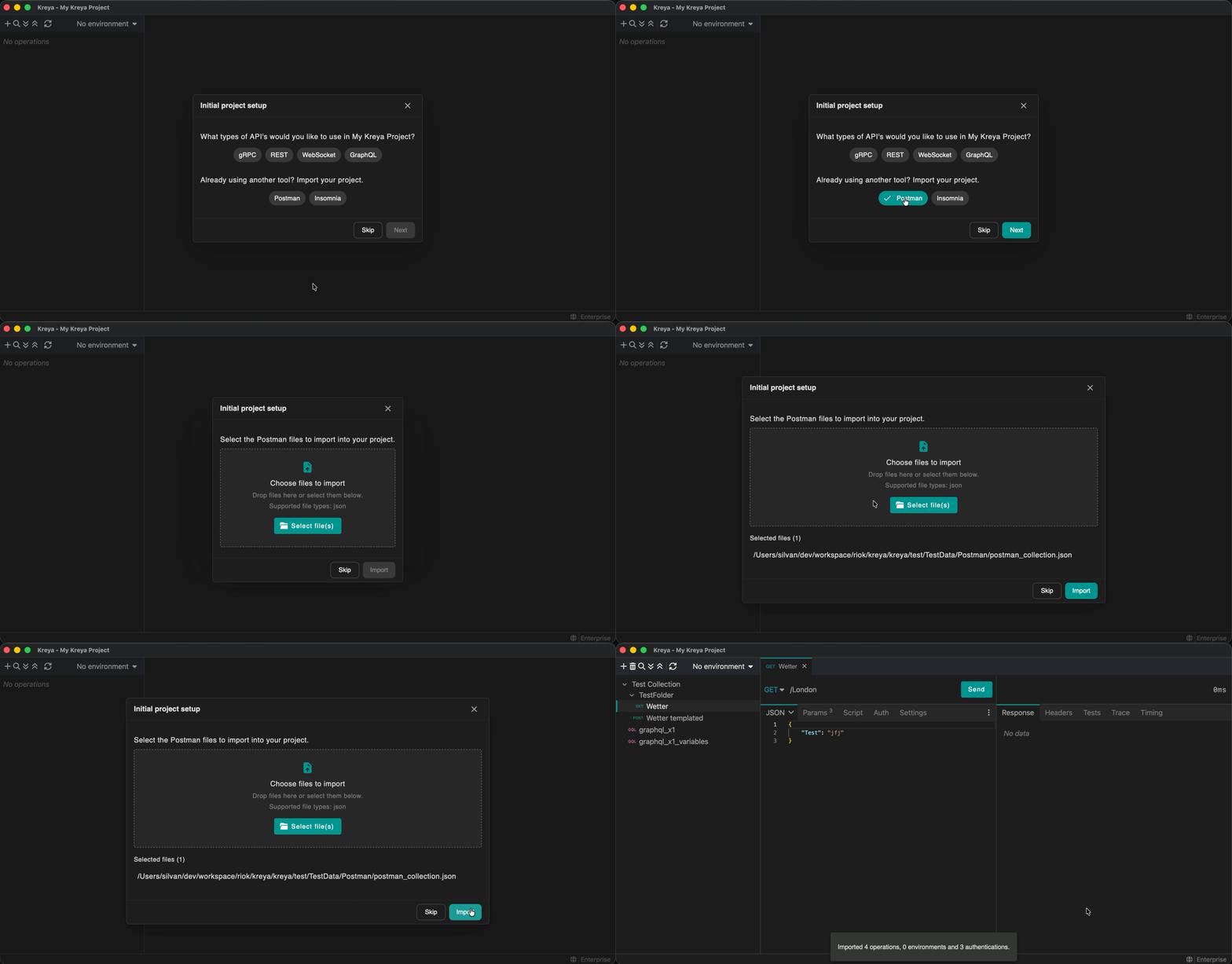
Import postman or insomnia collections during project setup
When creating a new Kreya project, it is now possible to import directly from Postman or Insomnia.
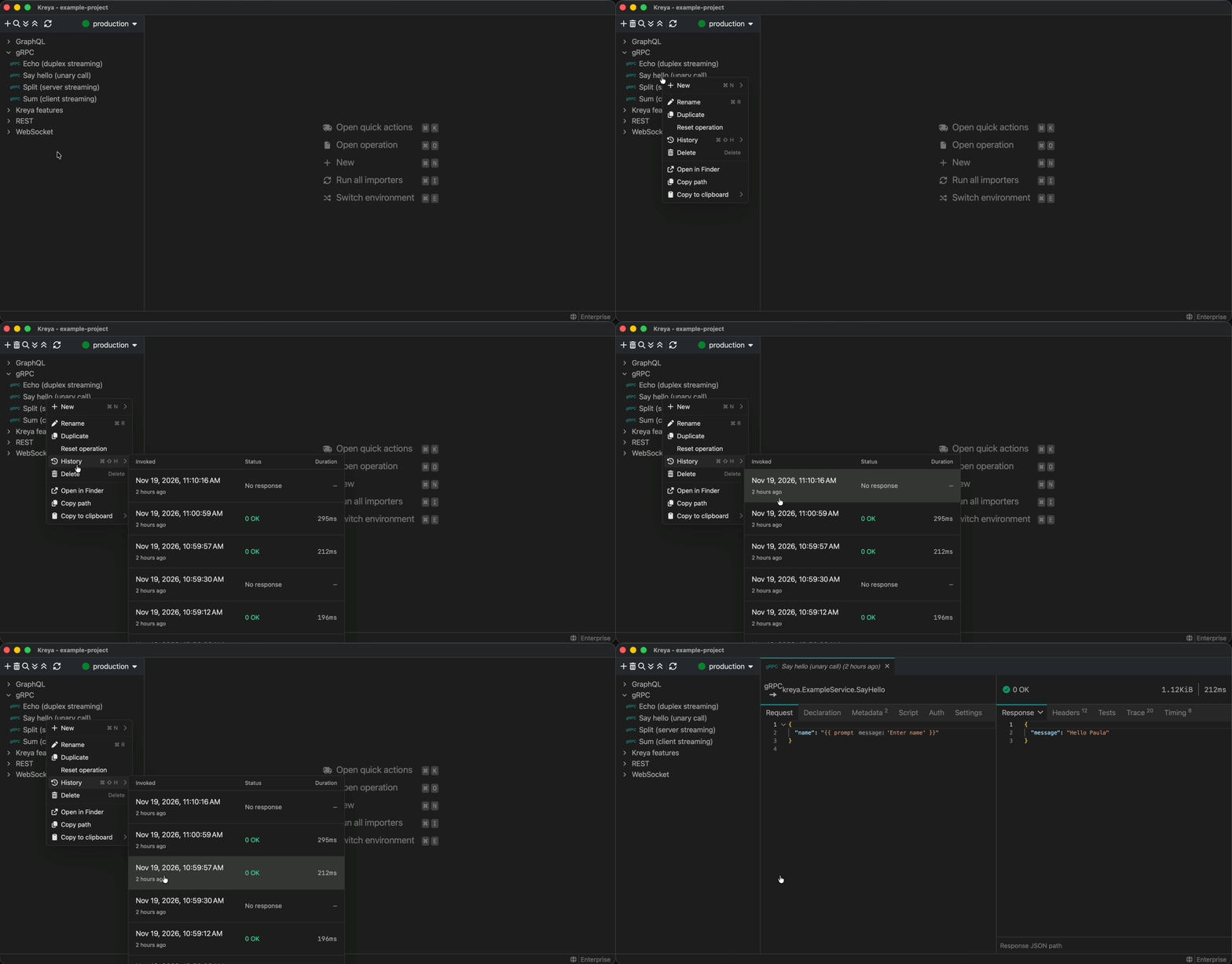
Improved operation history Pro / Enterprise
The modernised history view comes directly from the context menu and provides the most important information.
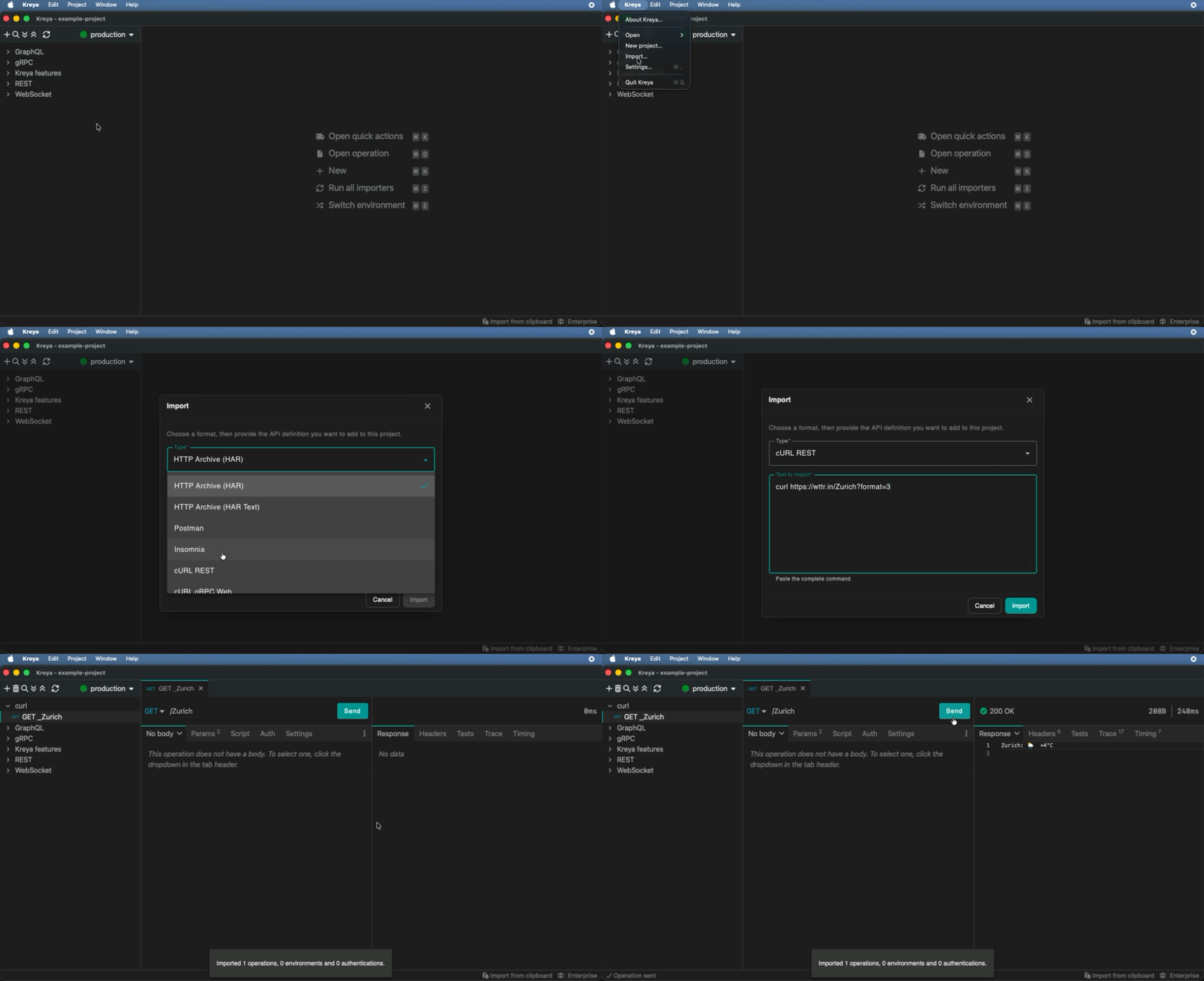
Text importers
You can now also import text like cURL via the app menu: Kreya > Import....
curl https://wttr.in/Zurich?format=3
And more
There are other notable improvements:
- gRPC: support edition 2024
- gRPC: support drag and drop in proto file importers
- Scripting: ensure successful operation invocations
- UI: modernize the welcome screen
Release notes and feedback
For a full list of new features and bugfixes, see the release notes.
If you have feedback or questions, please contact us or report an issue.
Stay tuned! 🚀